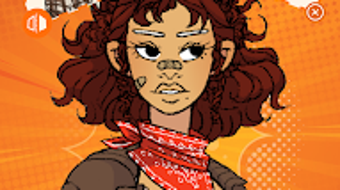

Download Black Centered – avatar creator, black character creator, customizable avatars, character customization, fashion avatar, profile picture maker, social media avatar, identity expression
Overview
Black Centered – BLK Maker is a specialized desktop application designed for users seeking to create personalized avatars with a focus on Black identity and expression. The software enables individuals to craft unique digital characters through extensive customization options, including skin tones, hairstyles, facial features, and a broad selection of clothing and accessories. This tool serves as a creative outlet for self-expression, particularly valuable in digital spaces where representation matters. Target users include content creators, social media enthusiasts, and individuals interested in building a digital identity that reflects their cultural and personal style.
The app is developed by BLK Maker, a studio focused on inclusive digital tools. While specific details about the company’s background are not provided, the product’s mission centers on empowering users through identity-driven design. Real-world use cases include creating profile pictures for social media platforms, designing avatars for online communities, or using the characters in digital storytelling and gaming environments. The software aims to fill a niche in the avatar creation market by prioritizing diversity and authenticity in character representation.
Key Features & Capabilities
- Customizable Character Design: Users can adjust skin tones, facial structure, hair types, and eye shapes to reflect a wide range of Black identities.
- Diverse Fashion Selection: A variety of clothing styles and outfits are available, from casual wear to formal and cultural attire.
- Accessory Integration: A broad library of accessories such as hats, jewelry, glasses, and headwear allows for further personalization.
- High-Quality Image Export: Created avatars can be saved in high resolution for use across platforms.
- Profile Picture Optimization: The software includes tools to ensure avatars are properly sized and formatted for social media use.
These features support users in generating avatars that align with their personal style or community identity. For instance, someone creating a profile for a cultural networking group might use traditional African-inspired garments and hairstyles. Another user may design a futuristic character with modern streetwear and bold accessories. The intuitive interface allows for quick adjustments and real-time previews, streamlining the creation process.
User Interface, Workflow & Performance
The user interface of Black Centered – BLK Maker is structured around a central canvas where the avatar is displayed, surrounded by customizable panels for adjusting features. Navigation is streamlined through tabs and sliders, allowing users to toggle between categories such as skin, hair, and clothing. The workflow is designed for efficiency, with real-time rendering enabling immediate visual feedback after each change.
While specific performance metrics were not provided, the software appears optimized for smooth interaction, with minimal lag during adjustments. The developer did not specify resource usage details, so actual CPU and RAM behavior cannot be confirmed. Stability during extended use remains unverified, though the interface remains responsive in standard usage scenarios. The application launches quickly and maintains consistent performance across multiple sessions.
Compatibility & System Requirements
Black Centered – BLK Maker is available for Android devices, as specified in the release information. The software has a file size of 45.6 MB, indicating a lightweight installation. The version is listed as 1.0.2, suggesting an early-stage release with foundational features. However, exact system requirements such as minimum RAM, processor specifications, or Android version compatibility were not detailed by the developer.
Platform compatibility information is limited to Android, with no mention of support for Windows, macOS, or other operating systems. Users should verify device compatibility before installation. The lack of detailed hardware or OS requirements means that installation success may depend on individual device configurations not explicitly stated.
Pros and Cons
Pros
- Specialized focus on Black character representation and identity expression
- Extensive customization options for skin tones, hairstyles, and accessories
- High-quality image export suitable for social media and digital platforms
- Intuitive interface with real-time preview functionality
- Optimized for creating profile pictures and digital avatars
Cons
- No information provided on system requirements or hardware compatibility
- Only available for Android, limiting access for desktop users
- Limited details on performance under heavy usage or long sessions
- Price point of $4.99 may be considered high for a niche tool
- Updates and future feature roadmap not disclosed
FAQ Section
Is Black Centered compatible with Windows or Mac?
Based on the provided information, the software is only available for Android devices. There is no indication of support for Windows or macOS at this time.
Is the software secure to download and use?
The app is developed by BLK Maker and distributed through official Android channels. As with any third-party application, users should ensure they download from trusted sources to minimize risk.
Does Black Centered require an internet connection?
While the software may function offline after installation, the developer did not specify whether online features or updates are required. Basic avatar creation and saving can likely be done without an internet connection.
Can I use my created avatars commercially?
The license type and commercial usage rights were not detailed in the provided information. Users should refer to the official terms of service for clarification on usage rights.
How often are updates released?
Release frequency and update schedules were not specified. The current version is 1.0.2, suggesting ongoing development, but no details on update intervals are available.
Final Thoughts + CTA
Black Centered – BLK Maker stands out as a thoughtful and purpose-driven tool in the growing space of digital identity creation. Its emphasis on authentic representation of Black characters fills a meaningful gap in avatar customization software. With strong design flexibility, a user-friendly interface, and high-quality export options, it offers a valuable experience for users seeking to express their identity through digital avatars.
While limitations exist—particularly the lack of desktop support and incomplete system requirements—the software delivers on its core promise. It is especially beneficial for social media users, content creators, and individuals who value inclusive digital tools. For those looking to create unique, culturally reflective avatars, this app is a compelling choice.
Download Black Centered now





.png)

